GitHub CLI
github:extreme-russian-dsh-fandom/dsh-github-cli#v0.2.0
Sources: https://github.com/extreme-russian-dsh-fandom/dsh-github-cli
Install via CLI
dsh plugin add github:extreme-russian-dsh-fandom/dsh-github-cli#v0.2.0Install in DSH Desktop
1. Open Plugins in the DSH sidebar.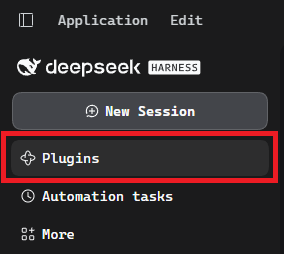
2. Press Add plugin in the top right corner.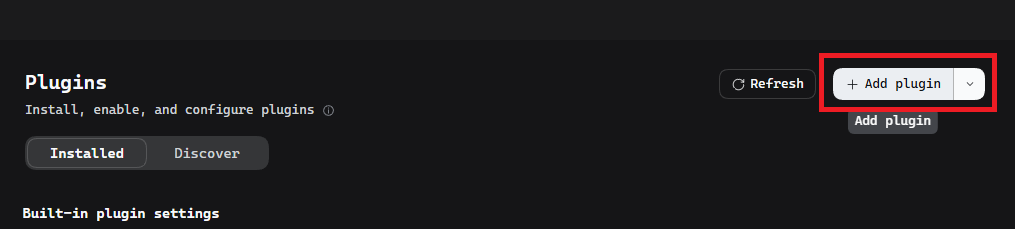
3. Paste the plugin address from the subtitle and press Install.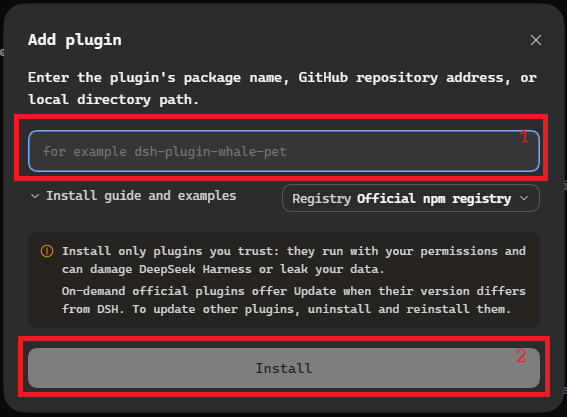
Install from the catalog
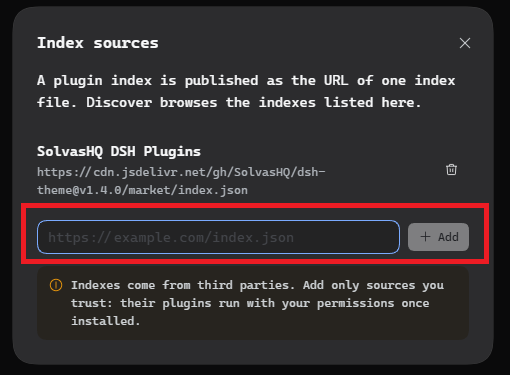
For plugins to show up under Discover, DSH has to know the index URL. The catalog is published as a single file:
https://extreme-russian-dsh-fandom.github.io/dsh-index.json1. Open Settings → Experimental plugins, expand the whole list and turn on Custom plugin indexes.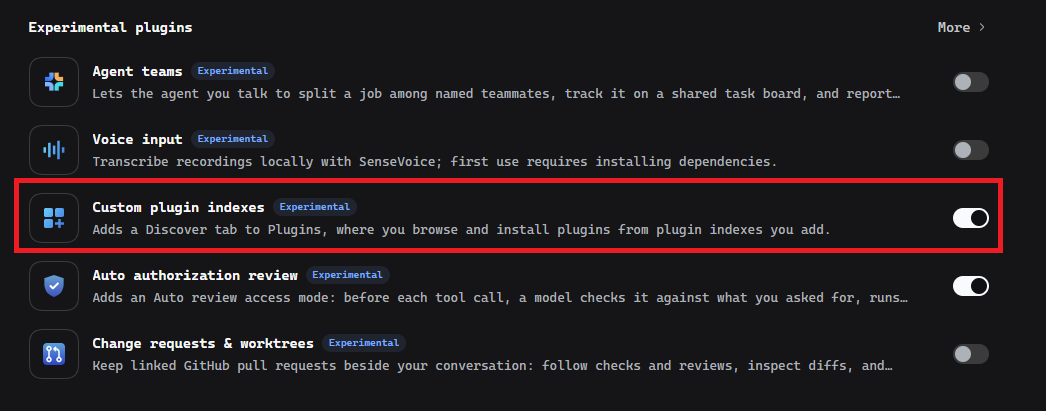
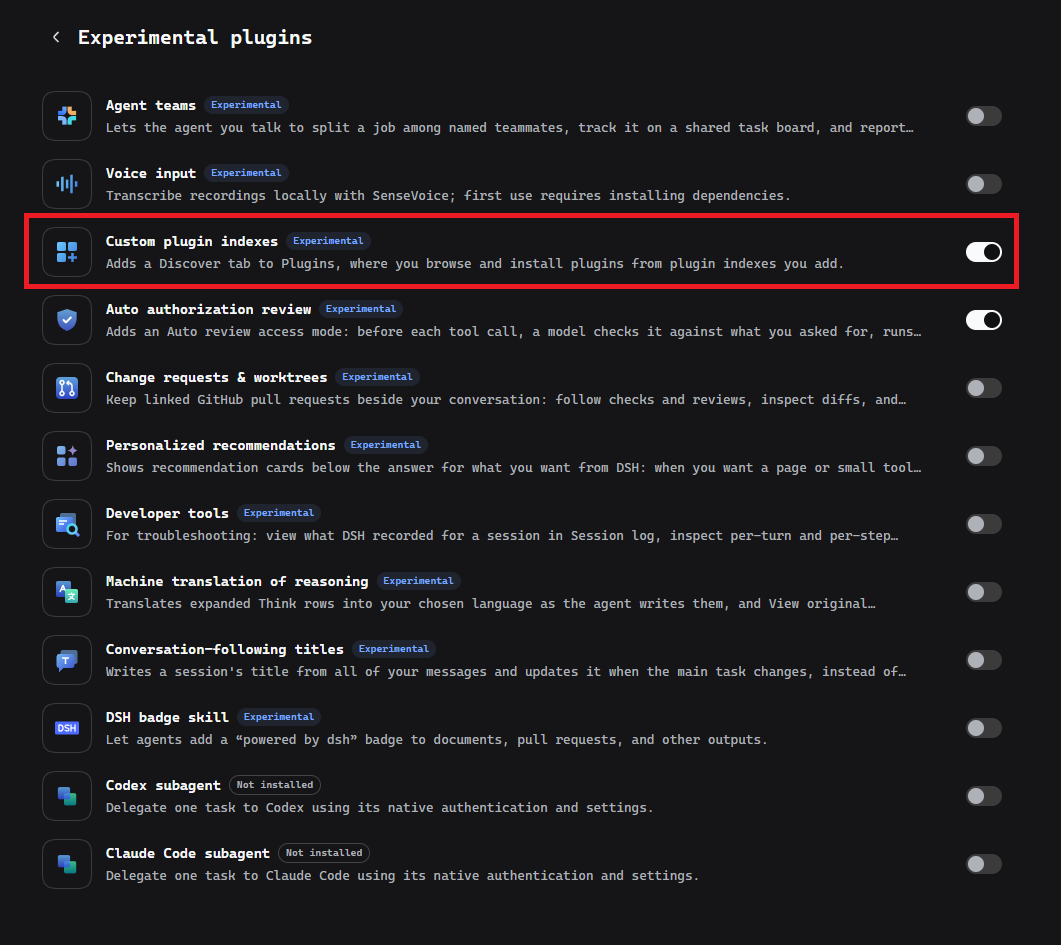
2. Open Plugins → Discover. Then pick your case:
Option A — no sources yet — Add index source.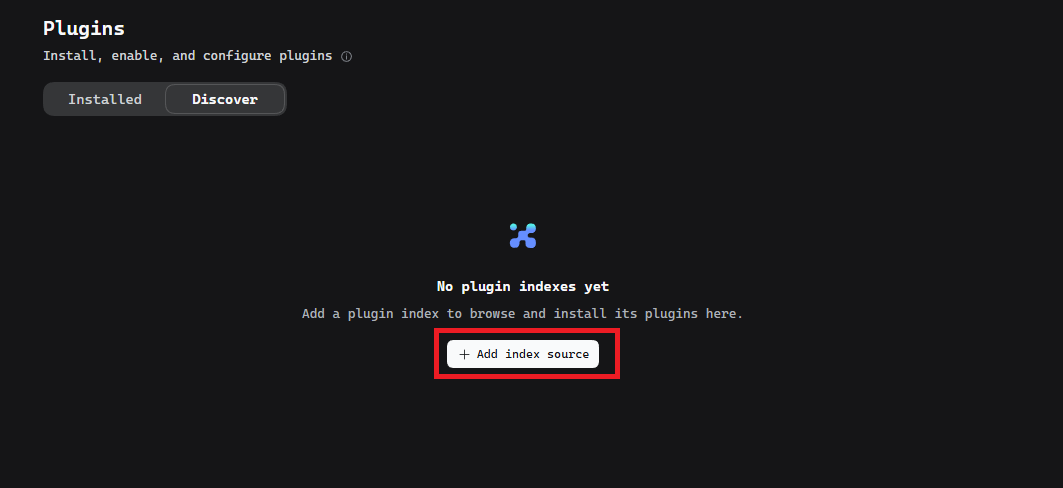
Option B — a source already exists — the source list → Manage index sources….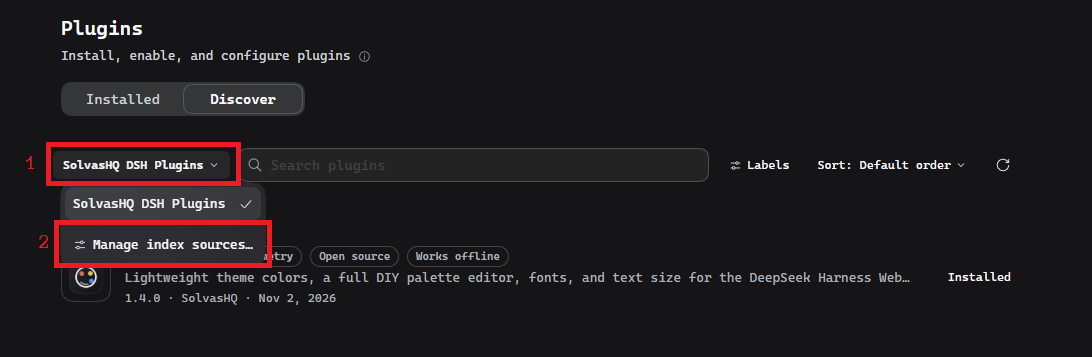
3. Paste the same address into the field and press Add.